
Connect Codex/Claude/Gemini subscription
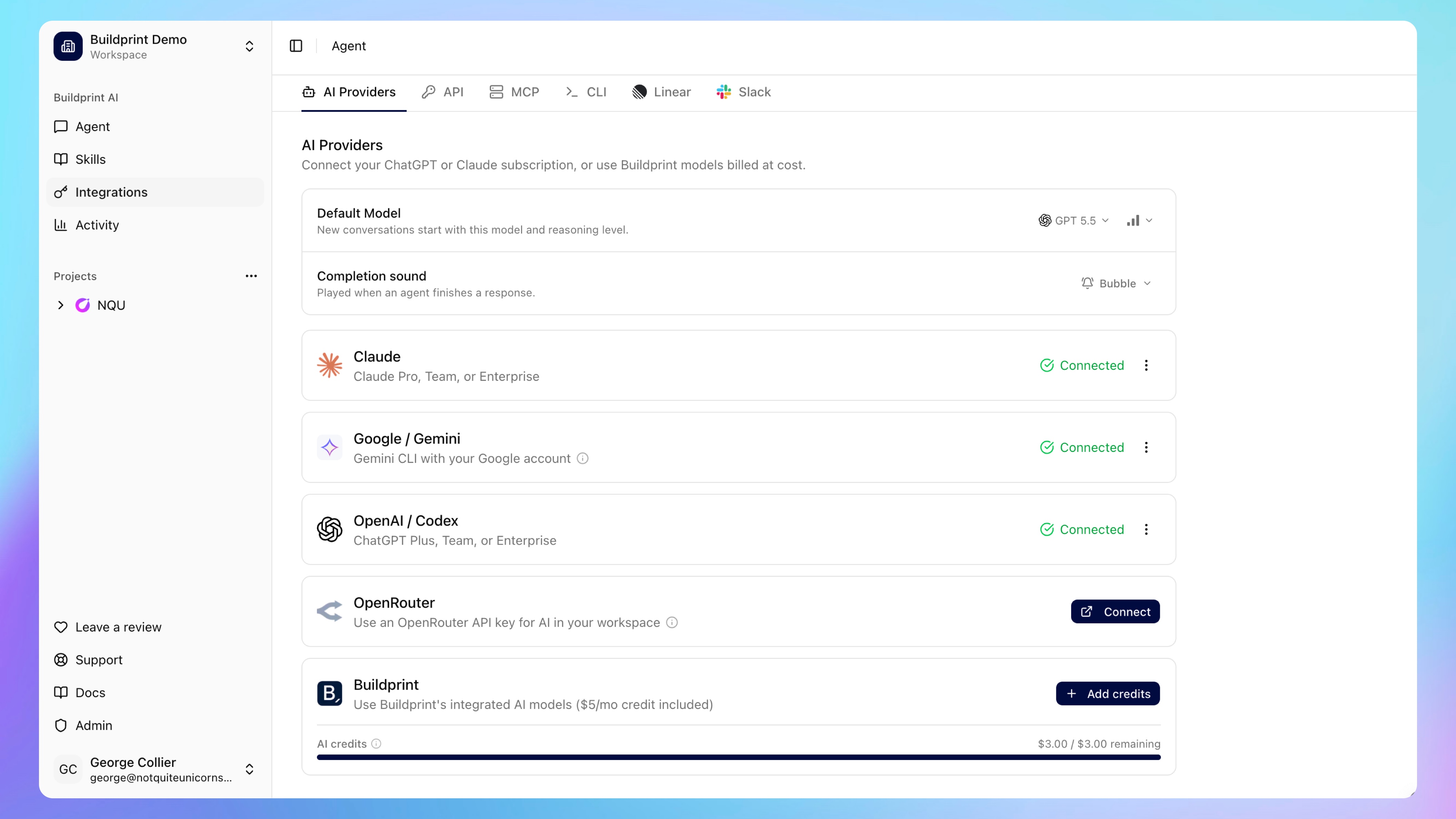
After connecting your Bubble app, you can optionally connect your own Claude, ChatGPT/Codex, or Gemini subscription.
Provider connections are user-specific. Other workspace members need to connect their own provider credentials, use Buildprint models, or use a workspace OpenRouter key if one is configured.
Our recommended integration is ChatGPT/Codex with GPT 5.5. GPT 5.5 demonstrates the best performance on Buildprint editing tasks, and offers the most generous rate limits.
Connect Claude
In Buildprint, go to Integrations > AI Providers.
Click Connect on the Claude row.
Complete the Claude authentication popup.
Copy the authorization code shown after authentication.
Paste it into Buildprint and click Connect.
Buildprint integration with Claude uses Claude Code in a remote agent sandbox. From June 15th, this will only draw usage from your subscription's 'Extra usage' pool. To use Claude Code with your subscription rate limits, use the Buildprint CLI.
Connect ChatGPT with Codex
Install Codex CLI:
npm install -g @openai/codexThen sign in:
codex loginPrint your local Codex auth file.
macOS or Linux:
cat ~/.codex/auth.jsonWindows PowerShell:
Get-Content $HOME\.codex\auth.jsonThen:
In Buildprint, go to Integrations > AI Providers.
Click Connect on the OpenAI / Codex row.
Paste the full auth.json contents.
Click Connect.
Connect Gemini
Install Gemini CLI:
npm install -g @google/gemini-cliStart Gemini:
geminiInside Gemini, run:
/authThen:
Choose Sign in with Google.
Restart the CLI by pressing R.
Print the cached credentials.
cat ~/.gemini/oauth_creds.jsonIn Buildprint, go to Integrations > AI Providers.
Click Connect on the Google / Gemini row.
Paste the credential JSON.
Click Connect.
Most personal Google accounts do not need a Google Cloud project ID. If you use a company, school, Google Workspace, or Gemini Code Assist account that requires one, enter the Google Cloud project ID in the optional field.
Connecting Cursor
You can connect your Cursor account using an API key.
In the User API Keys section click "Add"
Copy the API key
Click "Connect" in Integrations > AI Providers in Buildprint.
Paste your API key
Troubleshooting
Claude code rejected: paste the complete authorization code from the callback page.
OpenAI invalid format: paste the complete ~/.codex/auth.json contents.
Gemini invalid format: paste the complete ~/.gemini/oauth_creds.json contents.
Expired credentials: run the provider login flow again and reconnect.
Popup blocked: allow popups for Buildprint, then try again.