
OpenRouter
OpenRouter is an AI proxy that lets you route AI requests to any model provider and model with one billing account. Buildprint lets you connect your OpenRouter API key to use your OpenRouter-managed account for pay-as-you-go Buildprint models, rather than Buildprint billing.
Buildprint charges pay-as-you-go models at cost, so using your own OpenRouter API key is primarily useful for compliance and self managed billing.
Creating an OpenRouter API key
Sign up to OpenRouter and add some credit to your account.
Create an API key at https://openrouter.ai/workspaces/default/keys
You can optionally set a spend limit, which can optionally reset after a set period of time.
Copy your key (starts with
sk-or-...)
Connecting OpenRouter to Buildprint
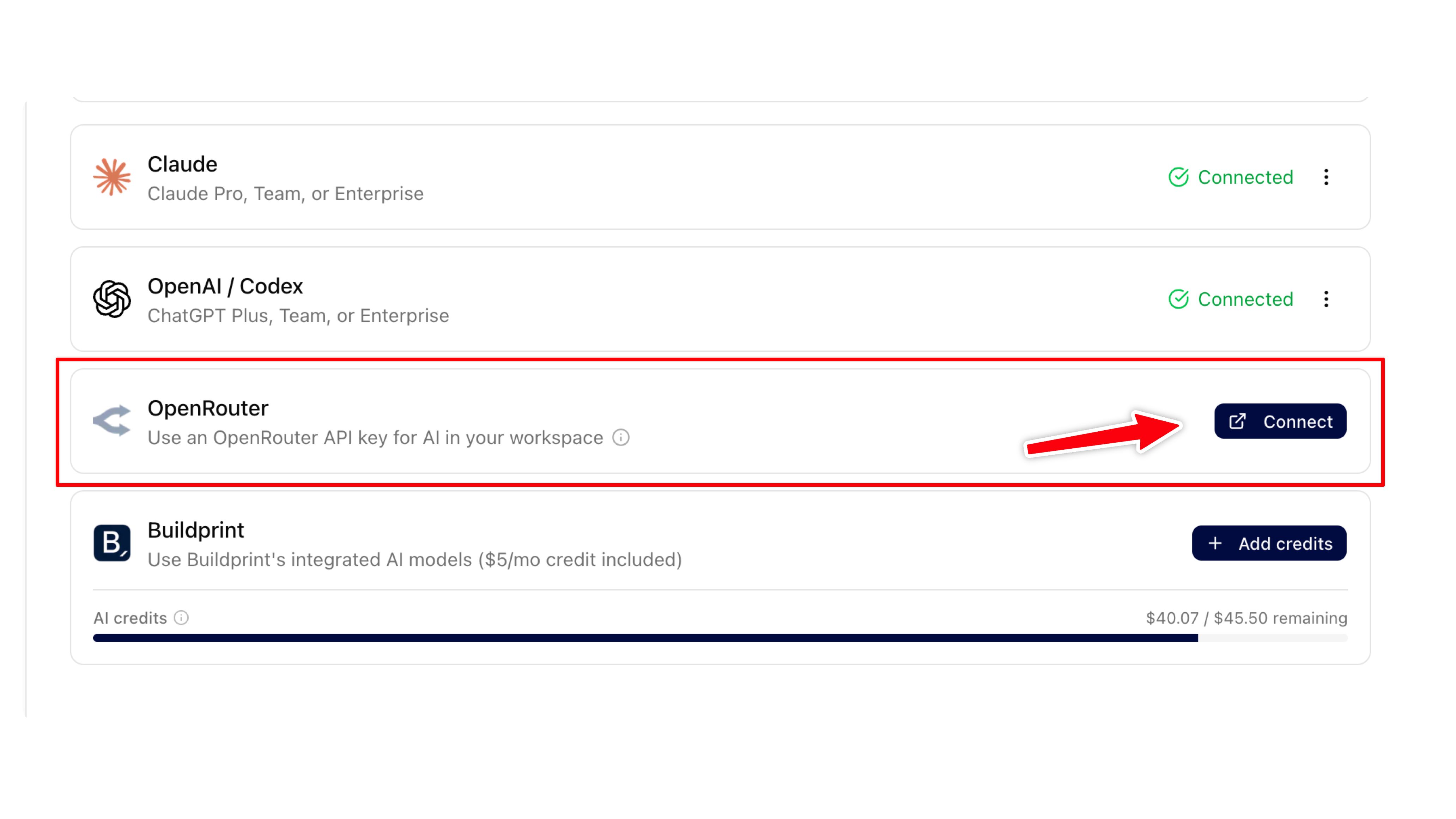
Navigate to your Integrations page.
Click 'Connect' on the OpenRouter row.
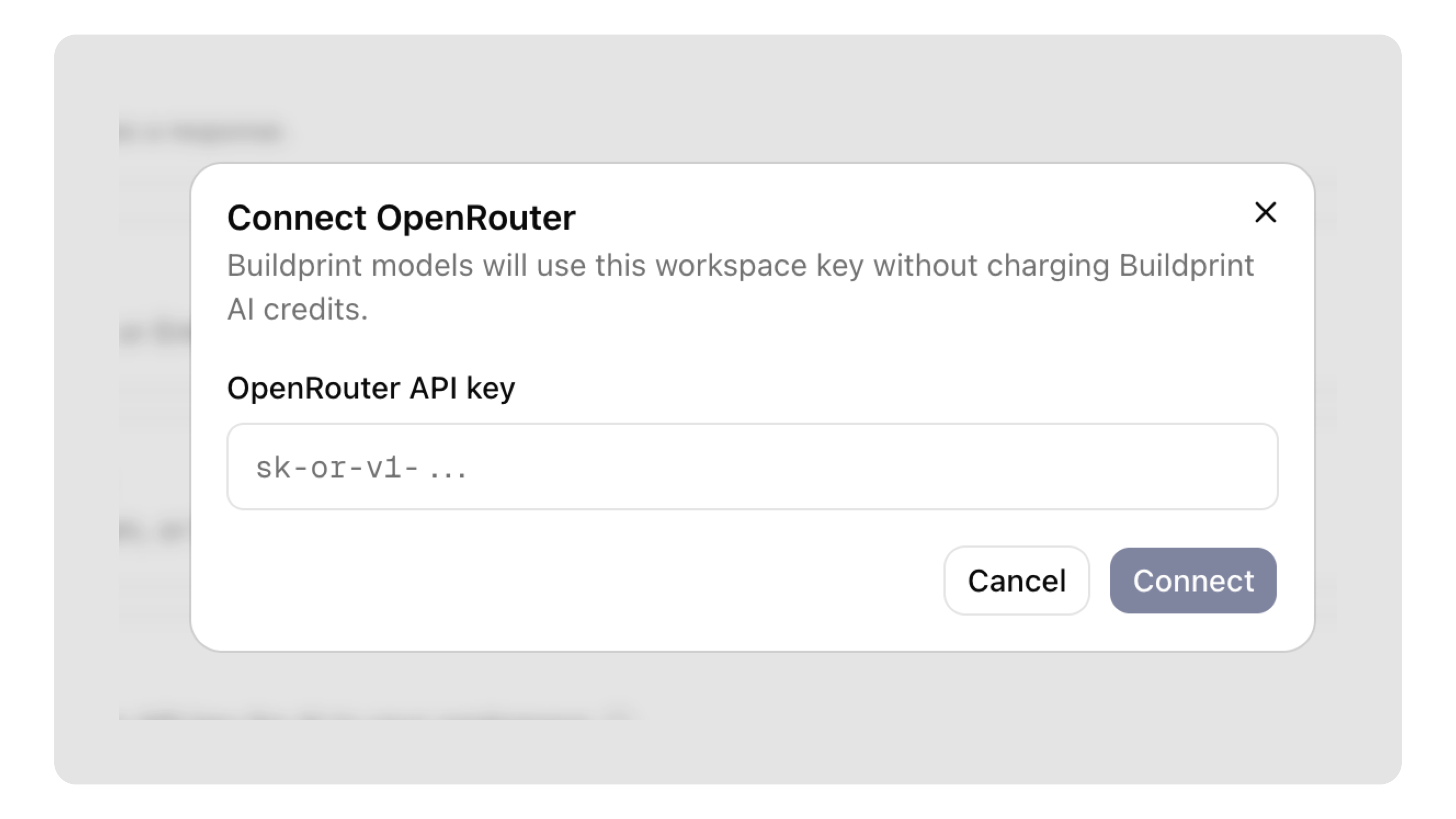
Paste your OpenRouter API key and click connect.
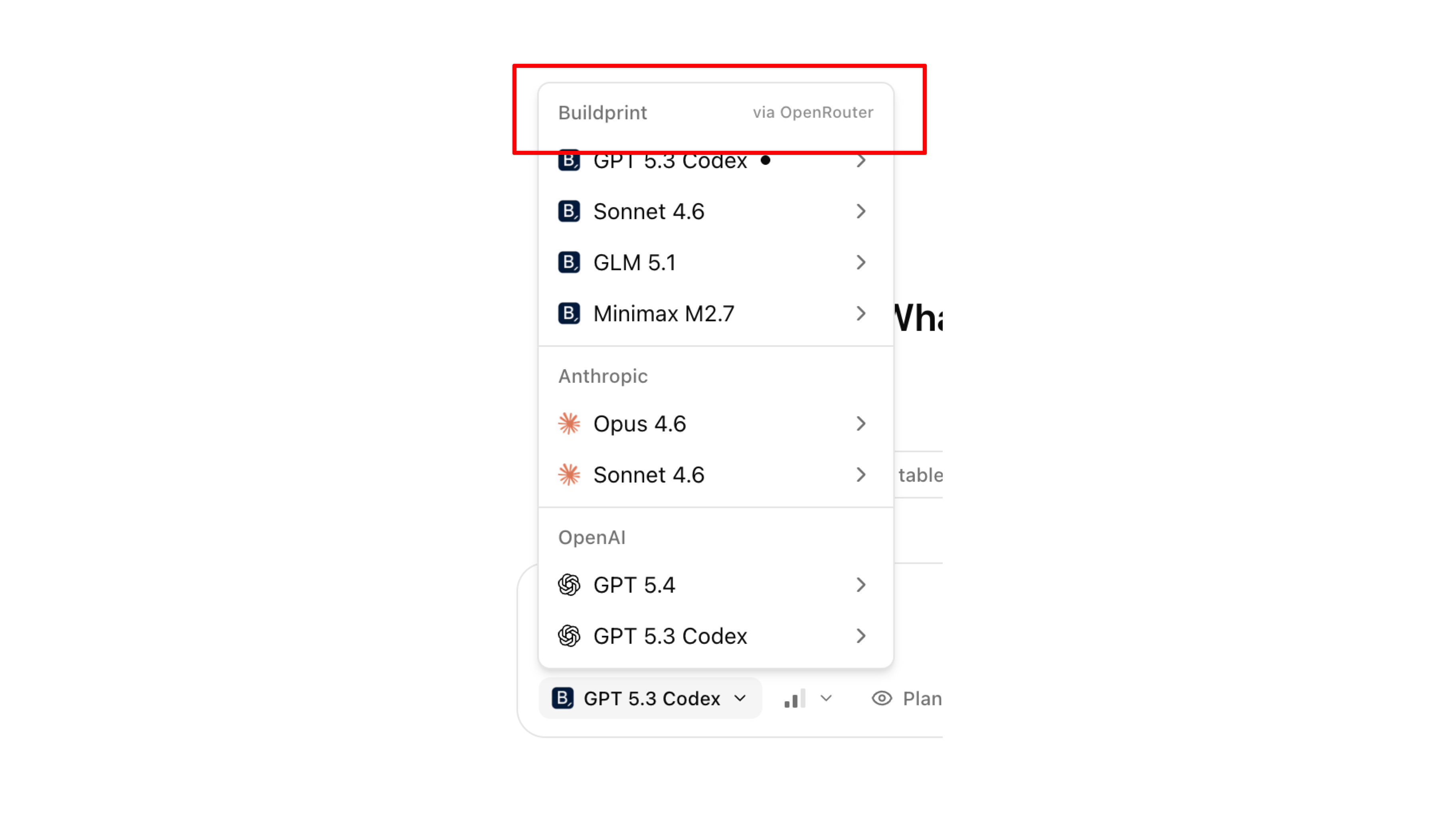
Once connected successfully, select any Buildprint model to use your OpenRouter API key.
Any workspace / project member can chat using your OpenRouter connection. They cannot access the API key itself, so can only use it in Buildprint features.