
Code reviews with Buildprint
Buildprint reviews help you inspect changes between Bubble branches before merging or deploying. If you're familiar with code, this is the Bubble equivalent of a pull request.
A review compares one branch against another and returns structured sections for changes, comments, and tests.
Create a review
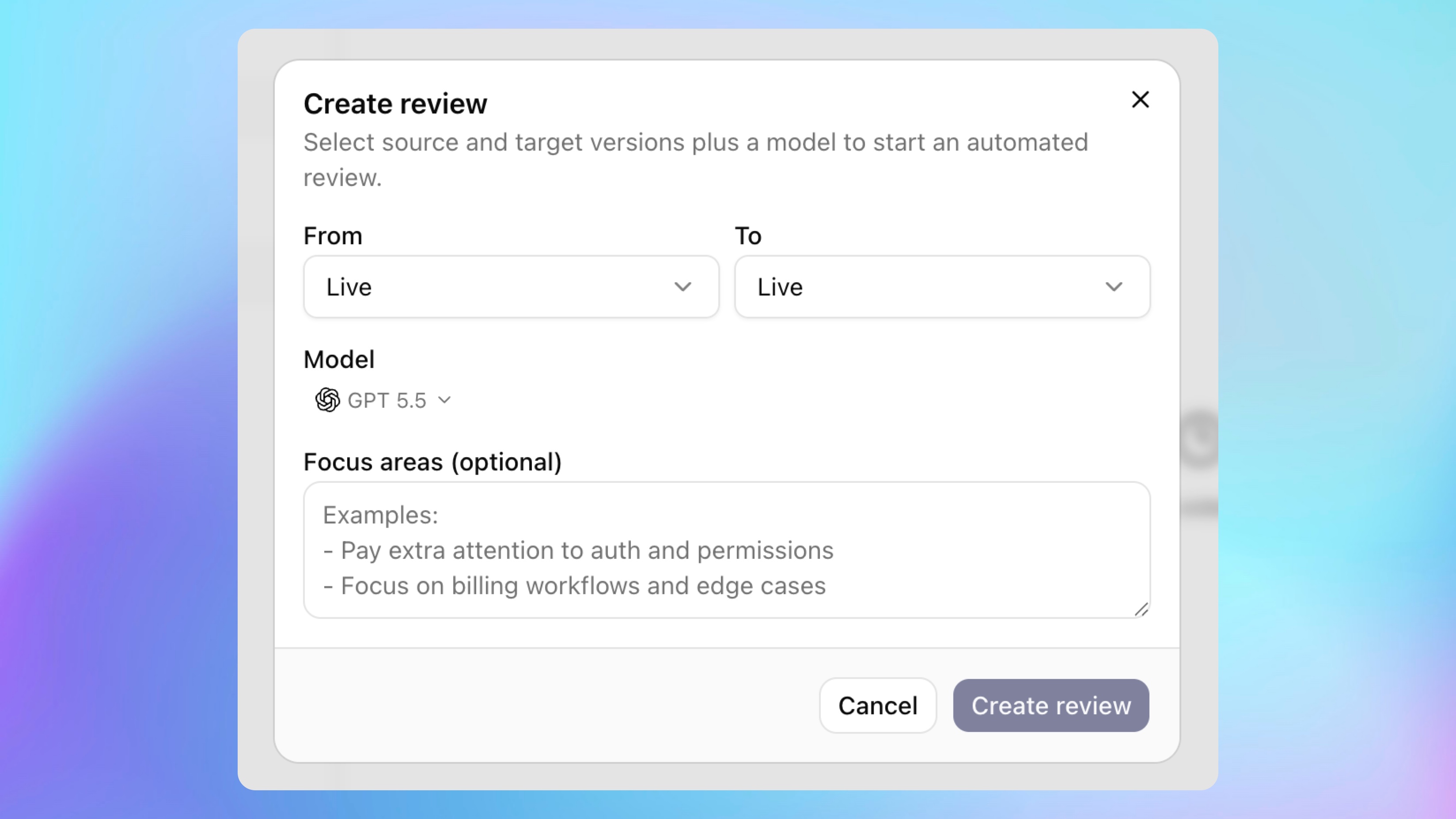
Open the Reviews area for a project and click Create.
Choose:
From: the branch with the changes you want to review.
To: the branch you want to compare against.
Model: the AI model that should run the review.
Linear issue, if Linear is connected and the review relates to an issue.
Focus areas, if you want the review to pay attention to specific parts of the change.
Click Create review to start.
You can also create a review from an agent chat. The chat header menu shows Create review when the chat is attached to a non-live branch.
Review sections
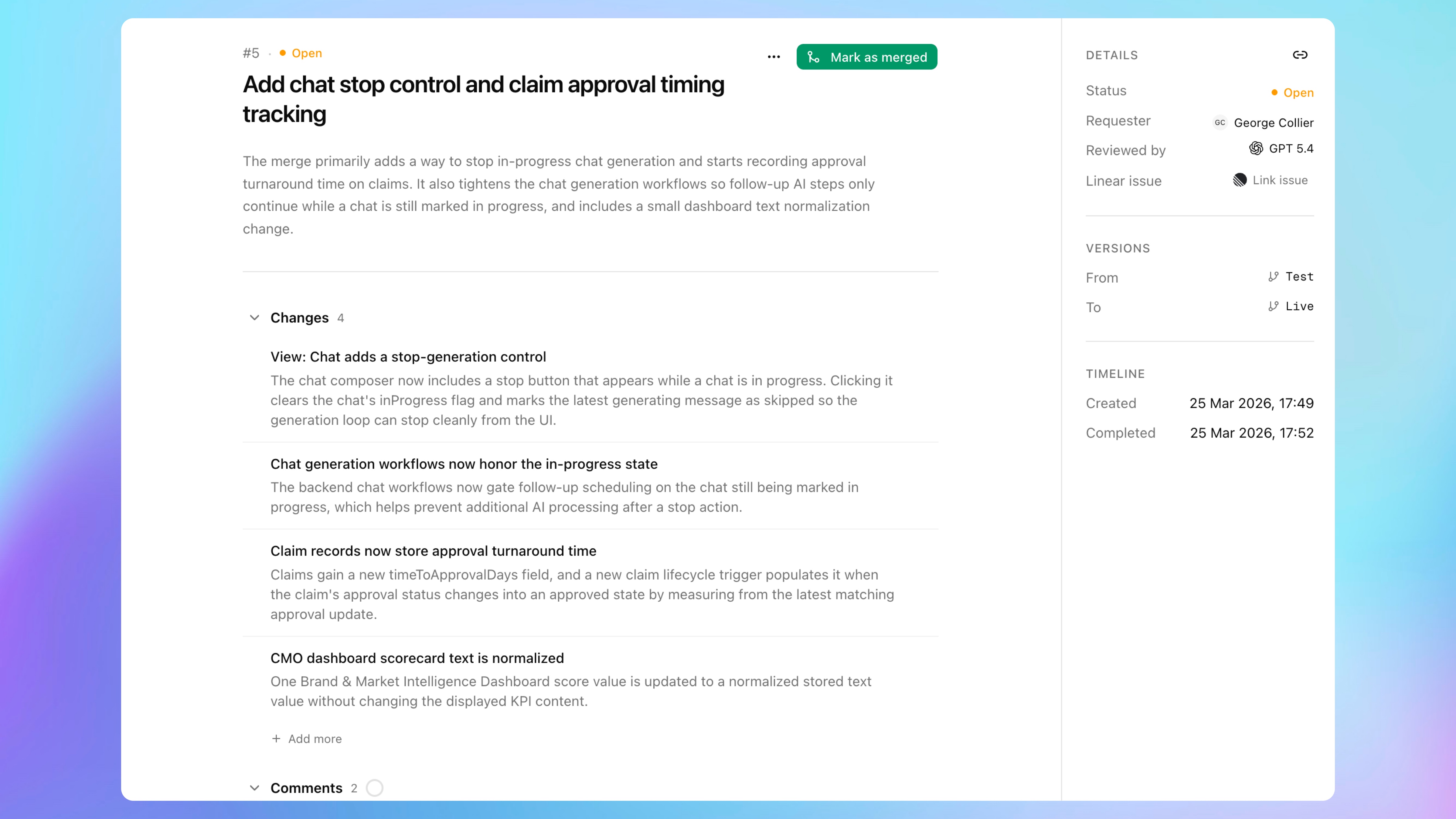
A completed review is organized into three sections:
Changes: a summary of what changed between the branches.
Comments: issues, risks, or feedback to address.
Tests: suggested checks to run before merging.
Comments and tests can be checked off as you address them. Changes are informational and cannot be checked off.
Review items may have priorities such as High, Medium, or Low.
Edit a review
Open reviews can be edited.
You can update the review title, description, generated items, priorities, and added manual items. Use this when the review needs cleanup, missing context, or notes from manual inspection.
Closed and merged reviews are not editable.
Discuss a review
Each review has an activity thread.
Use it to leave comments, reply to teammates, mention people, and attach images when needed.
Use a review in chat
Click Open in chat from a review when you want an agent to help address review comments or tests.
You can also attach a review in chat directly so the agent can use it as context.
Rerun or retry a review
If a completed review needs a fresh pass, click Rerun.
If a review fails or times out, click Retry review after fixing the blocker. Common blockers include missing provider credentials, exhausted credits, stale snapshots, or unavailable branch context.
Mark as merged or close
After the branch has been merged, click Mark as merged to move the review out of the open list.
If the review is no longer relevant and the branch was not merged, click Close review.
When to use reviews
Use reviews for changes involving:
Privacy rules.
Data types or fields.
Backend workflows.
Payment flows.
Authentication flows.
API Connector calls.
Branches you plan to merge into live.
Any change where a second pass could catch a regression.
A review is not a replacement for testing. Treat it as another safety check before merging or deploying.