
Using Buildprint models
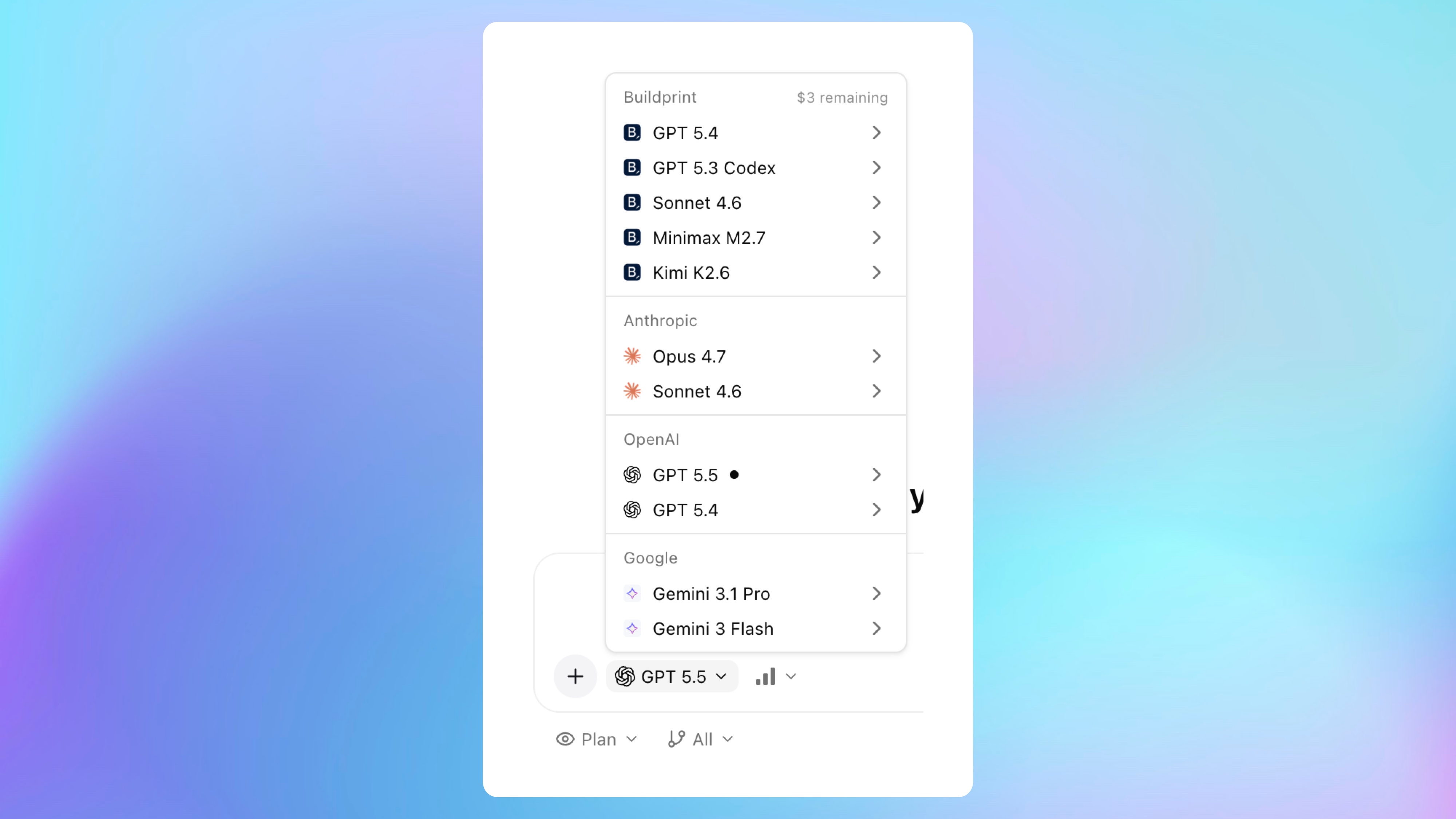
Buildprint models let you use Buildprint agents without connecting your own Claude, ChatGPT/Codex, or Gemini subscription.
How it works
Buildprint models are pay-as-you-go AI models billed through Buildprint credits.
Workspaces include a monthly amount of Buildprint AI credit. The product currently shows $5 per month of included Buildprint AI credit for workspaces.
Using your own connected Claude, ChatGPT/Codex, or Gemini subscription does not use Buildprint AI credits.
If your workspace has an OpenRouter key connected, Buildprint models use that OpenRouter key instead of Buildprint AI credits.
When to use Buildprint models
Buildprint models are useful if you:
Do not want to connect a separate AI subscription.
Want another model option for occasional agent work.
Want workspace-level usage through Buildprint credits.
Want to use a workspace OpenRouter key for Buildprint model traffic.
For heavier usage, connecting your own AI subscription or OpenRouter key may give you more direct control over limits and billing.
Add credits
Go to Agent -> Integrations -> AI Providers.
Find the Buildprint provider card.
Click Add credits.
You can also view AI credit usage from Workspace settings -> Billing.
Credit errors
If credits run out, Buildprint will ask you to connect ChatGPT, Claude, Gemini, or OpenRouter, or add credits before continuing with Buildprint models.