
Creating a plugin project
Buildprint supports building Bubble plugins with AI. There are two types of projects in Buildprint - apps (Bubble apps), and plugins. Plugins do not count as billable projects.
Create a new project
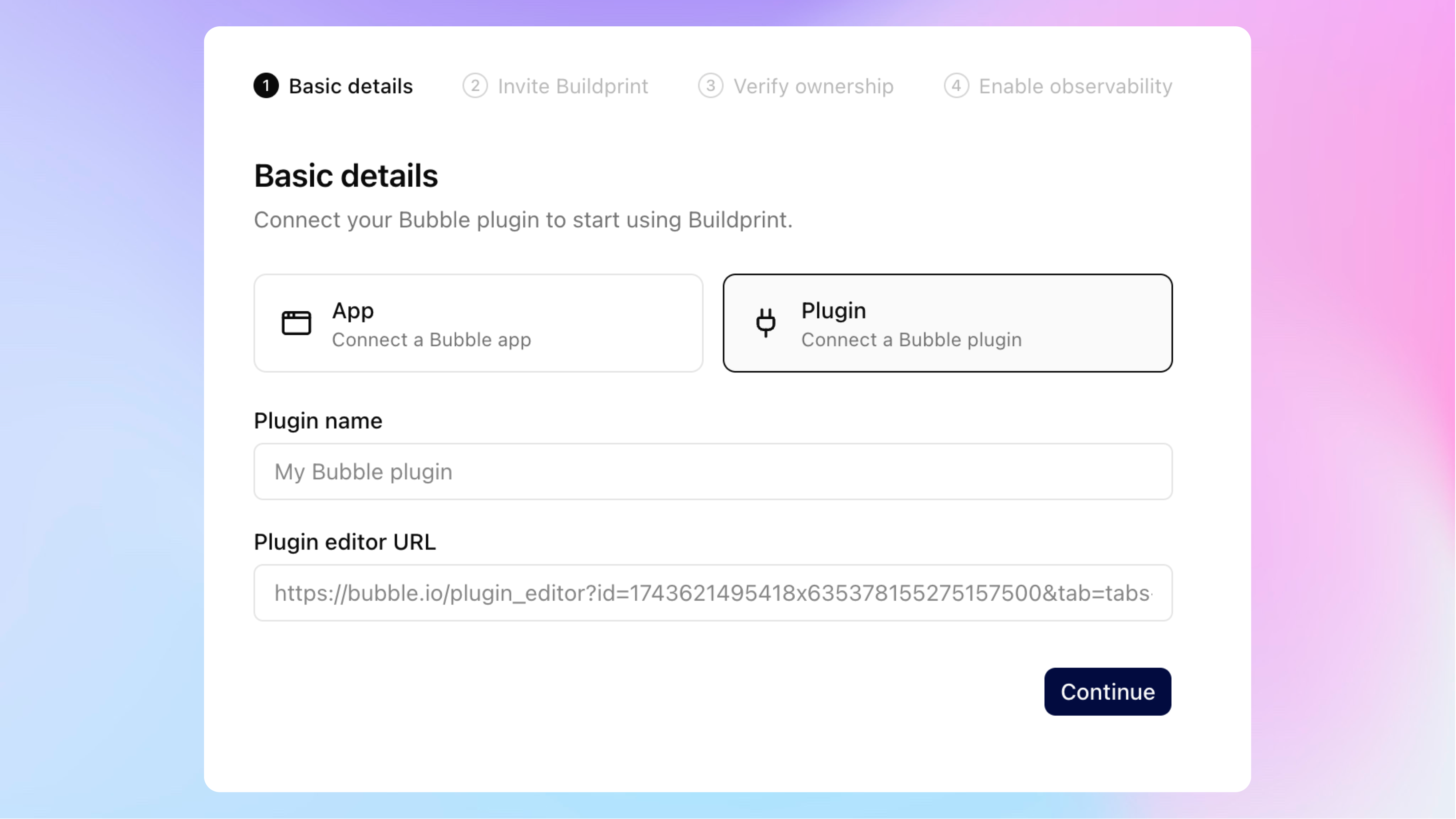
Begin by creating a new project in your workspace. Select the "Plugin" project type.
Enter the plugin name, and paste the Bubble plugin editor URL for this plugin.
You need to create the plugin in Bubble yourself. If you need assistance with this, then please follow this guide.
Invite Buildprint to the plugin editor
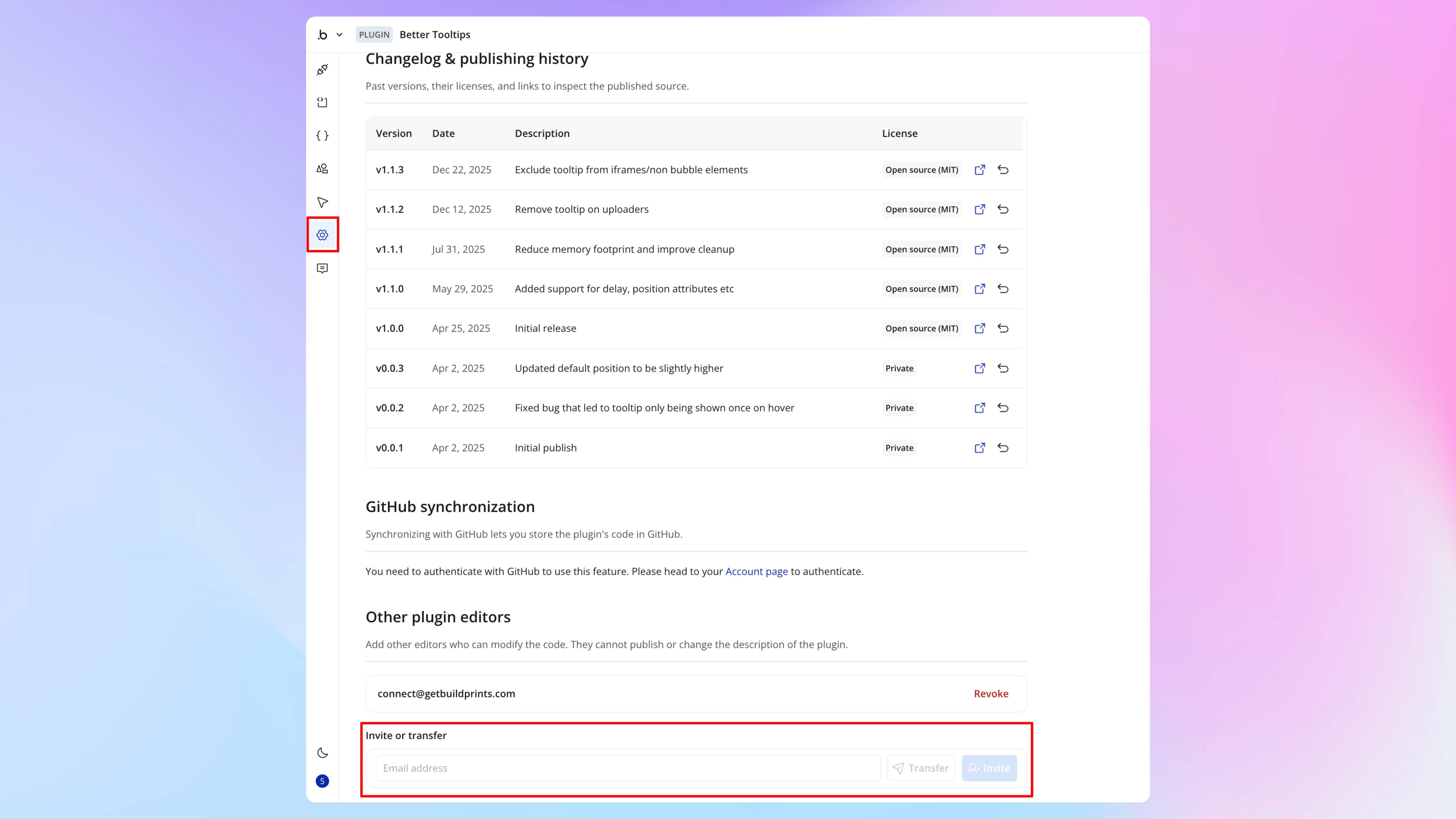
Invite [email protected] to the plugin editor, so that Buildprint can work on your plugin.
Verify plugin ownership
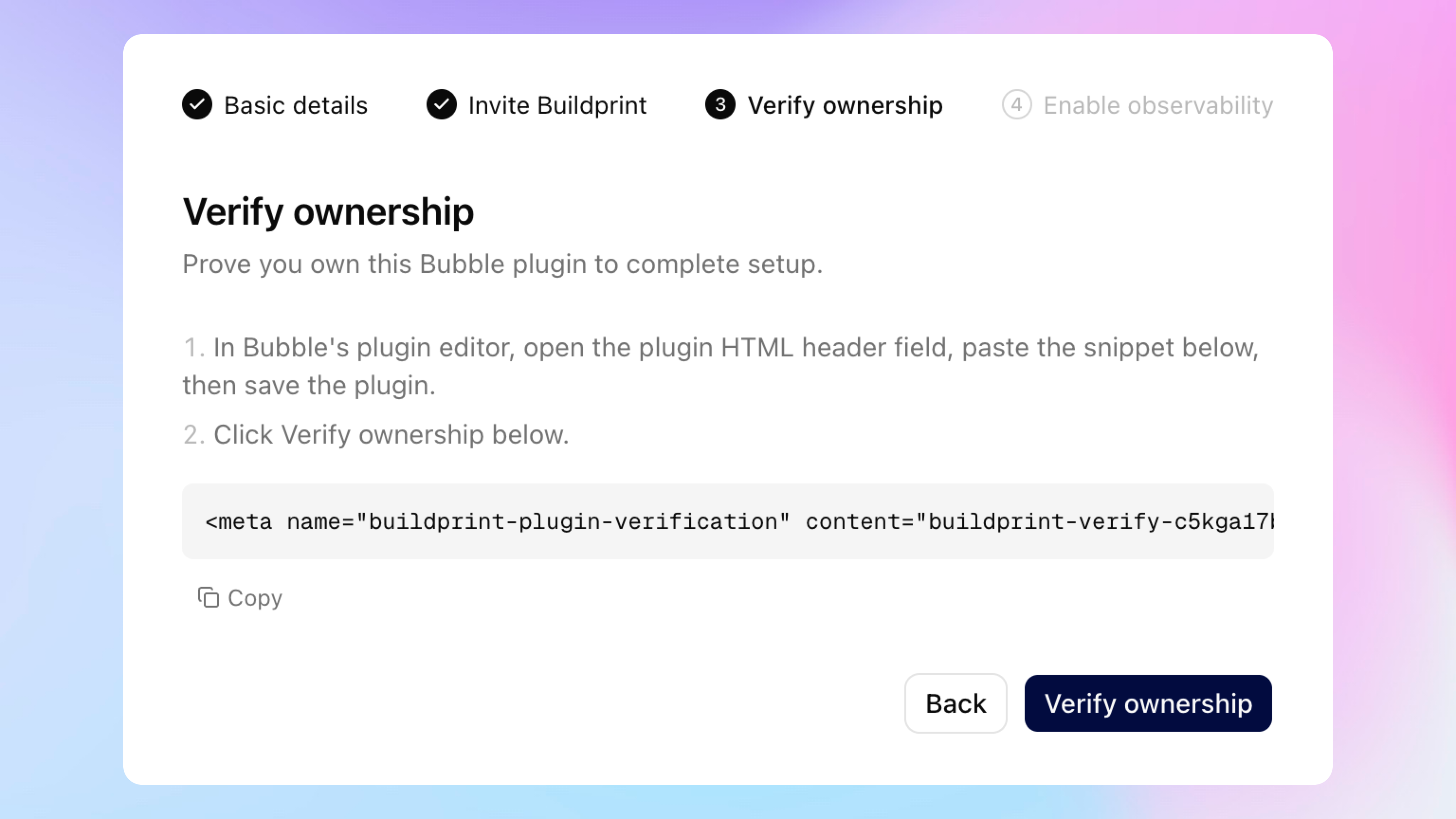
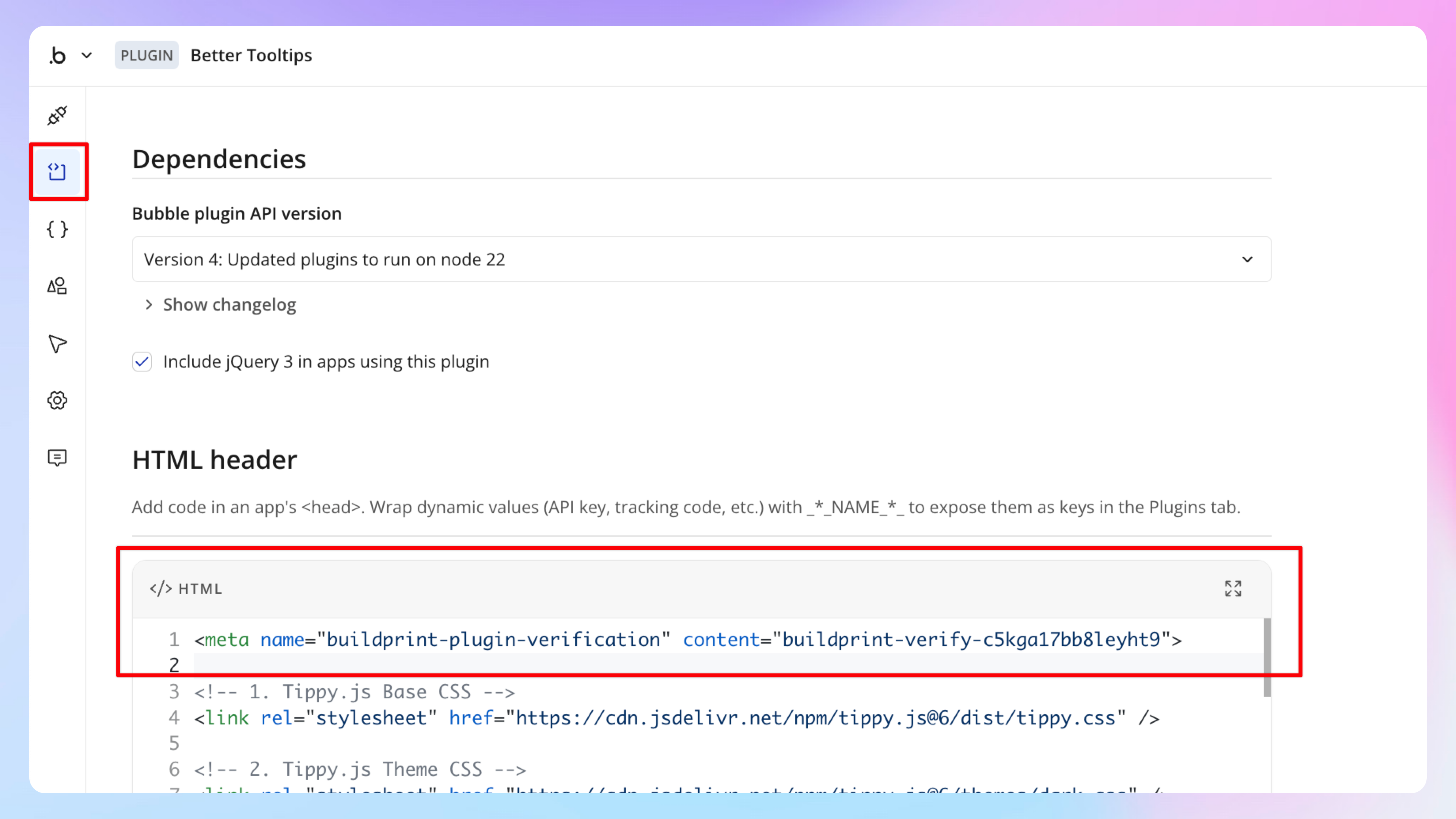
Buildprint requires you verify ownership of the plugin by adding an HTML tag to the header. You can remove this after verification.
Begin building with Buildprint
Buildprint is now connected to your plugin. Buildprint can make any changes to your plugin. Chat with your plugin project like you would any other project. When actively building, it's recommended you connect the plugin to a test app so that Buildprint can test its own work in the browser.