
Permissions and security
Agent can only use the access granted by Buildprint, Bubble, and the branch settings for the conversation.
How access is controlled
Three permission layers control what Agent can do.
Buildprint access controls whether you can open a project in Buildprint.
Bubble collaborator access controls what
[email protected]can read or change in Bubble.Branch access controls which Bubble branches a Buildprint conversation can use.
If any layer blocks an action, Agent cannot complete it.
Plan and Build modes
Choose the lowest level of access needed for the task.
Plan mode can inspect permitted project context but cannot change the Bubble app.
Build mode can change permitted Bubble branches when you have Build access on Buildprint and the Bubble collaborator has the required edit permissions.
Use Plan for questions, investigations, debugging, and implementation plans. Switch to Build only when you are ready for Agent to make changes.
Choose branch access
The branch selector limits the Bubble versions available to the conversation.
For Build work, select only the development branch Agent should change. Do not give access to extra branches unless the task needs them.
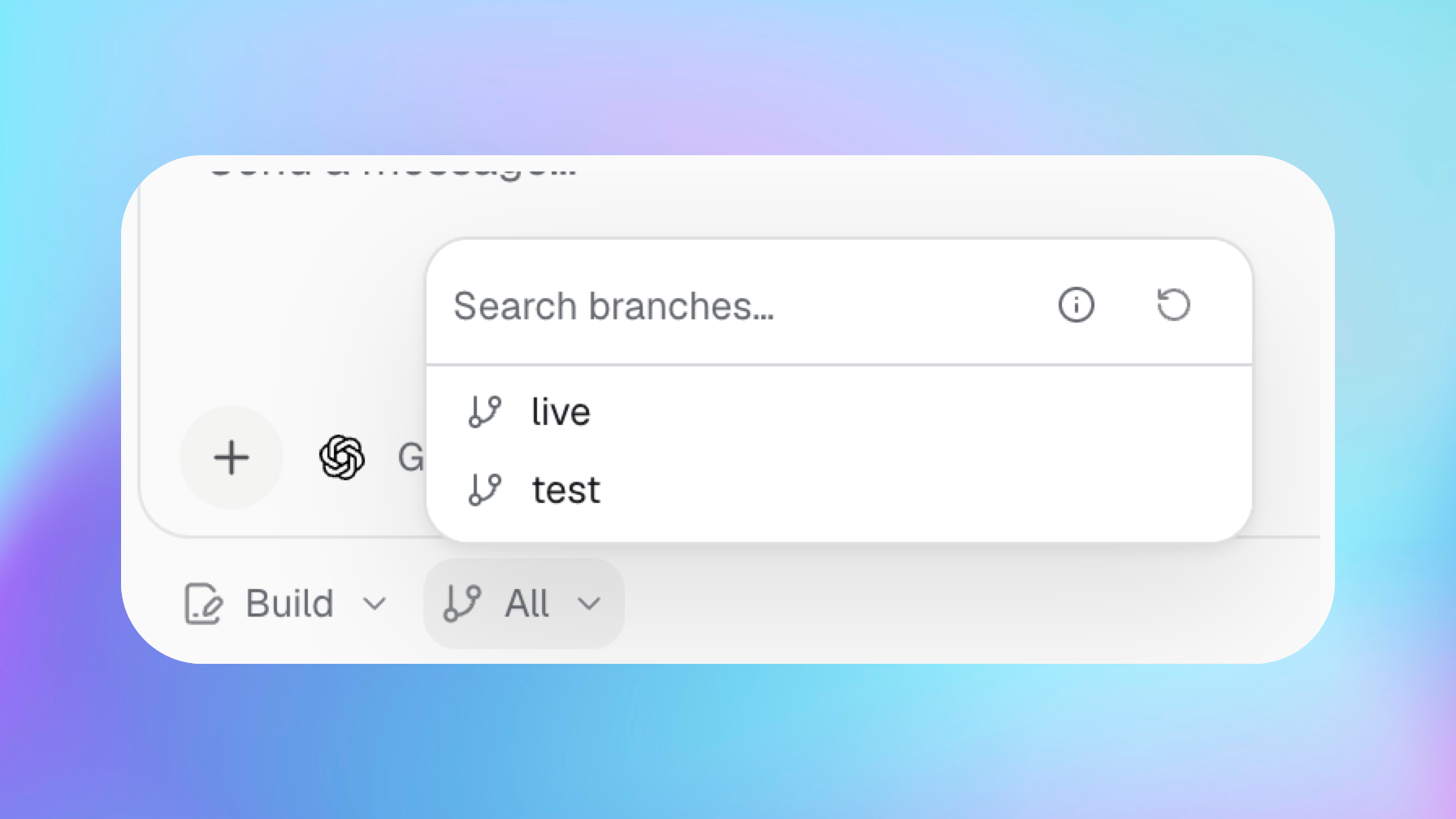
Agent cannot deploy changes to your live Bubble app. Review and test its work before you deploy through Bubble.
Data access
Data access depends on the conversation mode, your Buildprint role, the project and branch scope, and the Bubble collaborator permissions.
In Plan mode, Agent can search, fetch, and analyse records but cannot change them.
In Build mode, Agent can use the installed Buildprint CLI to create, read, update, and delete records when it has editing access.
Public Buildprint MCP data tools are read-only. They provide search, fetch, and aggregate actions, but no create, update, or delete tools.
A Buildprint CLI token can include editing access. Read-only project members cannot receive data-write access through Agent or the CLI.
Data operations must target the app and environment explicitly. Live targets Live data. Test and custom branches target development data.
Updates and deletes are immediate and require confirmation. Bubble can still reject a write if [email protected] does not have the required data access.
Database records and logs can contain personal or sensitive information. Give project access only to people who are allowed to see that information.
Secrets
Do not paste API keys, passwords, or other secrets into normal chat messages.
When Agent needs a secret, it can show a secure secret request. Enter the value in that form. The secret is sent directly to Agent and is not stored by Buildprint.
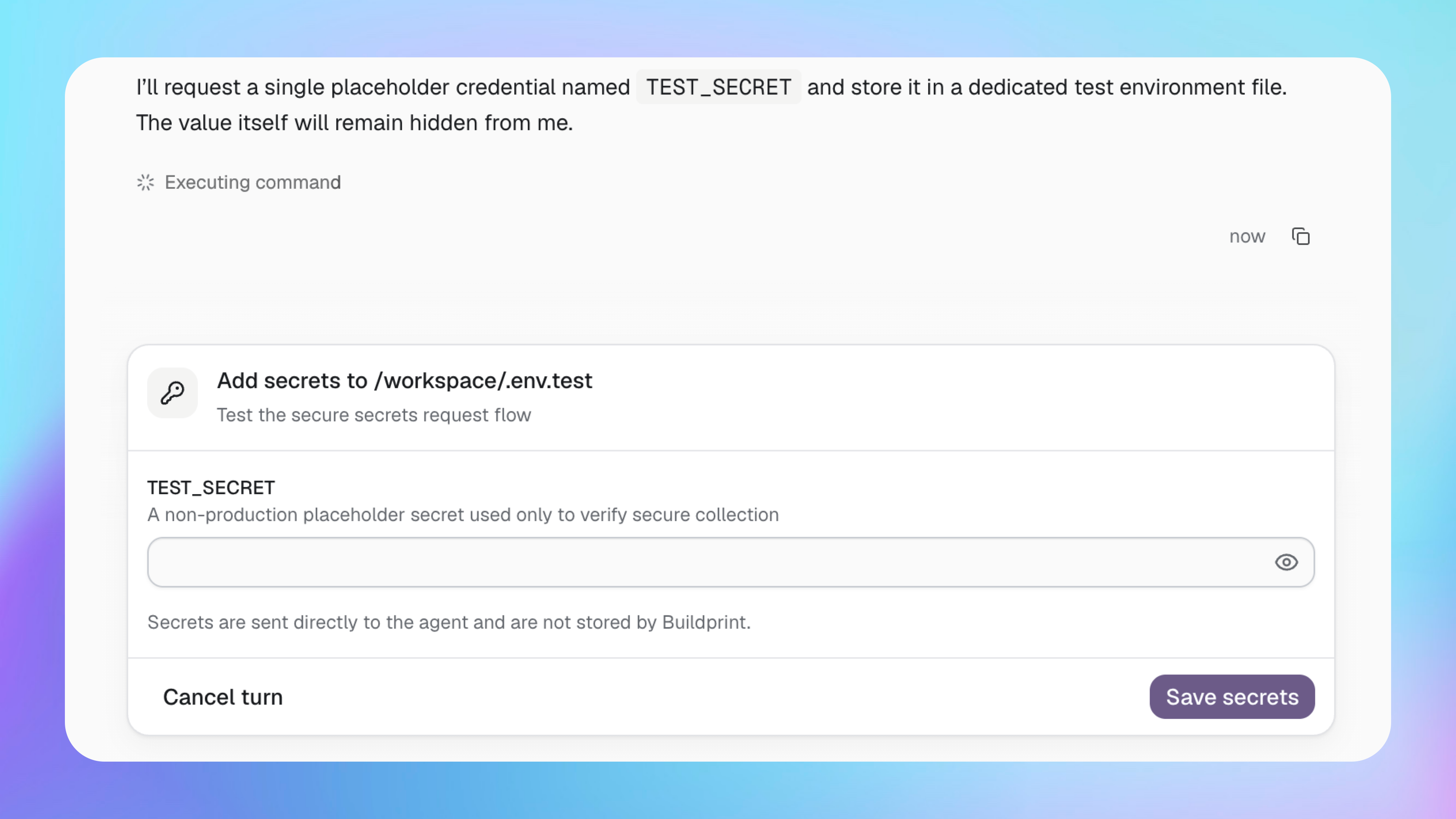
Private API Connector values and plugin secrets are filtered from normal app snapshots. If you think a secret was exposed in a message or file, rotate it with the service that created it.
AI providers
Agent sends your prompt and the relevant working context to the selected AI provider.
Connected AI credentials are encrypted at rest. Each provider has its own data handling and retention terms, so check those terms if your project has compliance requirements.
Review important work
AI agents can make mistakes. Review and test changes before merging or deploying them.
Take extra care with work involving privacy rules, authentication, payments, backend workflows, data types, API calls, or production data.