
Check that Slack is connected and Buildprint has been invited to the channel using /invite @Buildprint. For a private channel, confirm that it is enabled under Manage channels.
Slack
Connect Slack to ask Buildprint Agent questions and run tasks from a channel thread.
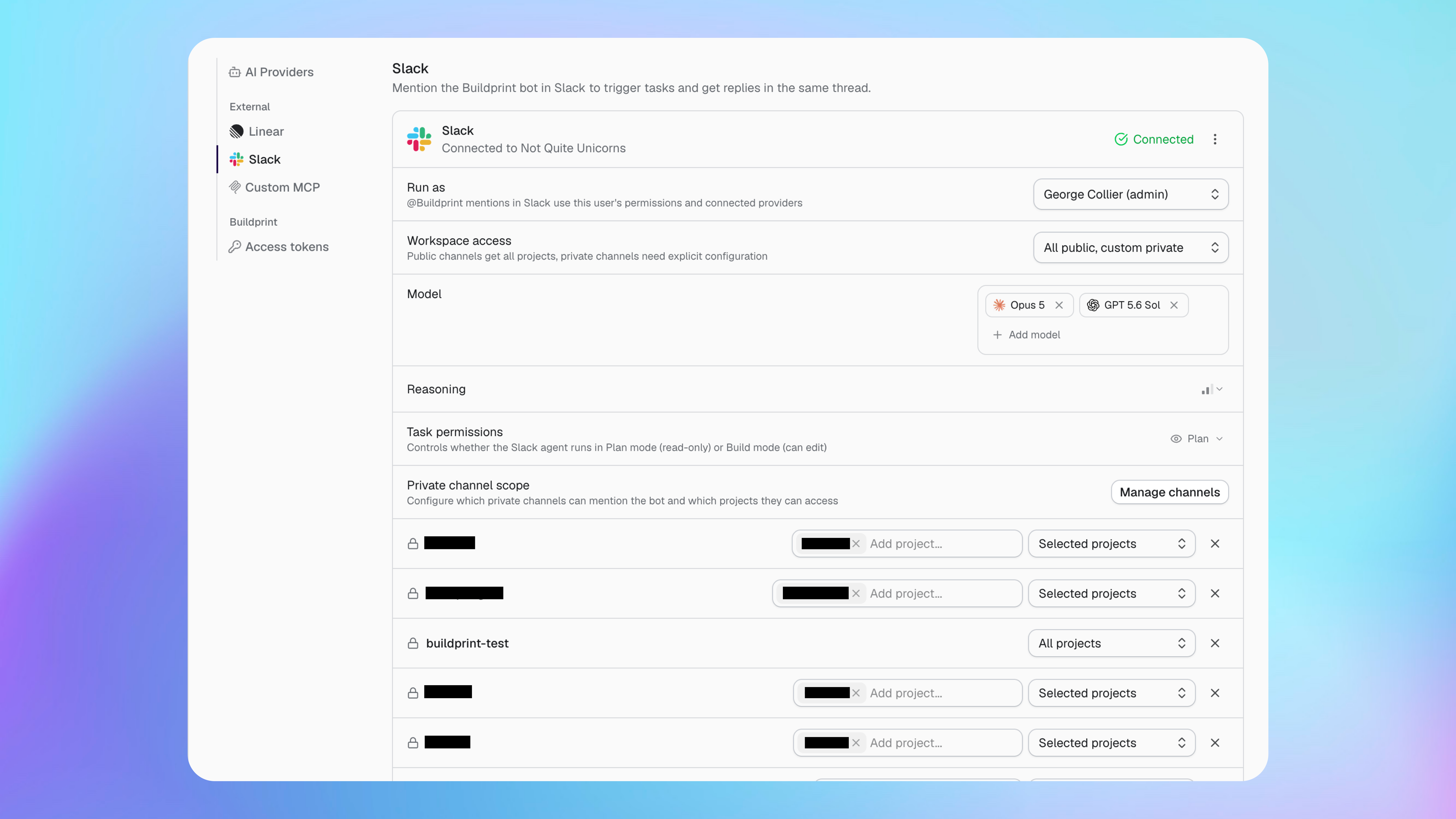
Connect Slack
You need permission to install apps in the Slack workspace and manage Buildprint integrations.
Open your workspace integration settings.
Select Slack.
Connect the Slack workspace.
Approve the requested Slack access.
Invite Buildprint to each private channel where it should work using
/invite @Buildprint.
Configure the Slack Agent
The Slack Agent uses the identity, models and permissions selected in Buildprint.
Run as controls which member's project permissions and providers are used.
Workspace access controls access from public and private channels.
Model sets the models available for Slack tasks.
Reasoning controls how much reasoning the Agent uses.
Task permissions chooses Plan mode for read-only work or Build mode for edits.
Build mode can change the Bubble app and its data. Only enable it for channels and projects where edits are expected.
Control private channels
Private channels need explicit configuration before they can access projects.
Select Manage channels, then give each channel access to all projects or selected projects. A Slack user cannot use the integration to bypass the project access configured in Buildprint.
Use Agent in Slack
Mention @Buildprint in a channel where the app is available, then continue the conversation in its thread.
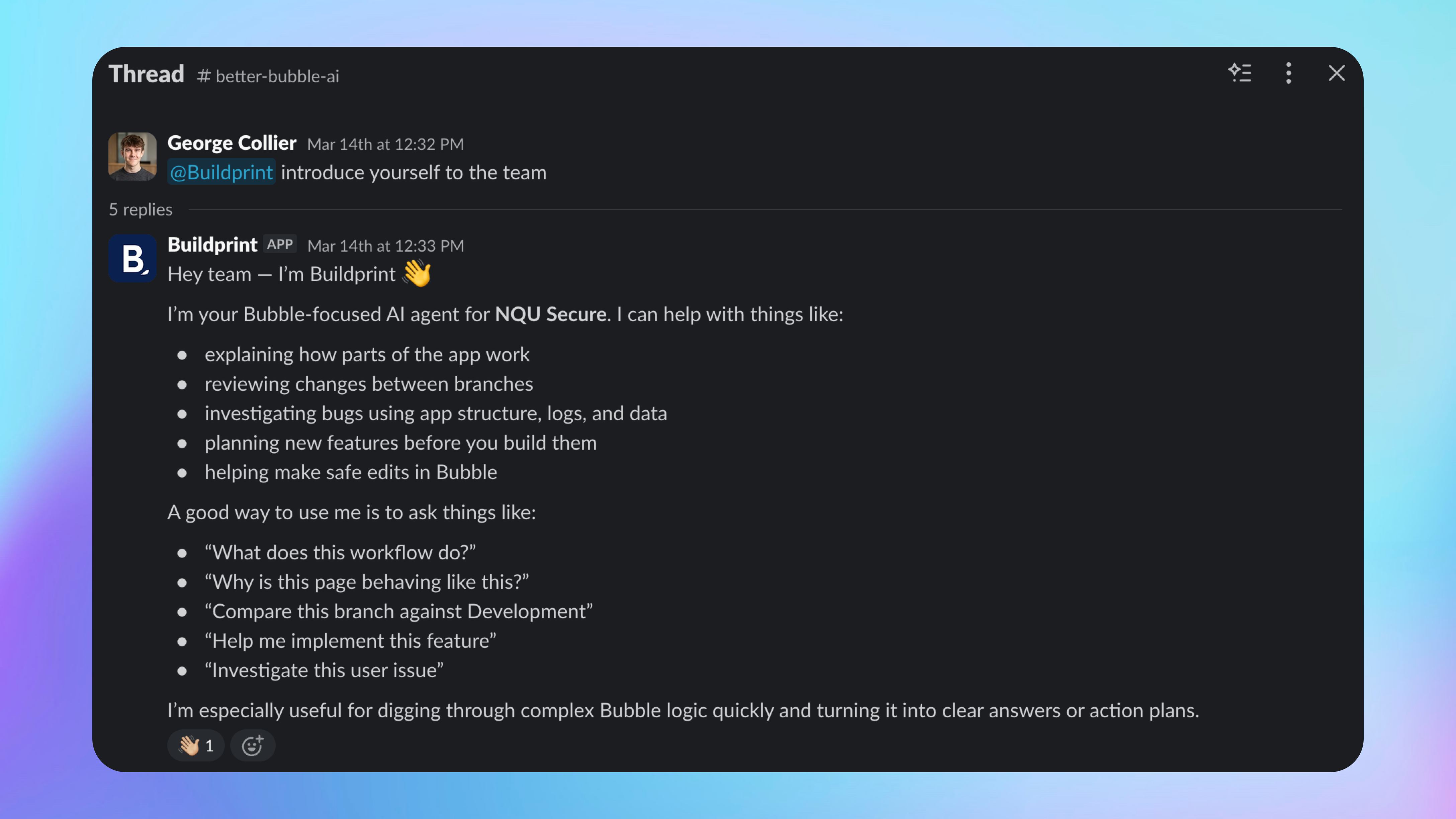
Include the project and goal in the first message. For example, ask Agent to explain a workflow, compare branches, investigate a bug or plan a feature.
The response uses the configured models and the project access available in that channel.
Use Slack notifications
Other Buildprint features can send results to connected Slack channels.
For example, Radar can post a completed scan summary. Configure its channel in that feature's notification settings.
Fix Slack problems
Buildprint does not reply to a mention
Agent cannot access a project
Check the channel's project scope and the permissions of the member selected under Run as.
Buildprint does not show all my Slack channels
Ensure Buildprint is invited to the private channel with /invite @Buildprint.
Was this helpful?
Was this helpful?