
Running and reviewing tests
Your agent runs tests from the CLI. Buildprint records every run so you can review it in the app.
Run from the CLI by asking your agent
Ask the agent to run the test from the branch you want to test.
buildprint test list                         # every test and its state on this branch
buildprint test run create_agency            # one test
buildprint test run agency                   # every test in the agency folder
buildprint test run --all                    # every test on this branch
buildprint test run smoke --screenshots all  # screenshot after every step
buildprint test status <runId>               # steps and results
buildprint test stop <runId>                 # cancel and close the browser
The runner prints each step as it goes. It uploads failure screenshots and, when ffmpeg is installed, a video up to the first agent step.
Batches
A folder run or --all is a batch. The runner goes one test at a time and gives every run the same batch id. Agent steps do not pause a batch. They are recorded as awaiting and the run moves on. In Buildprint the Runs tab groups a batch as one row with a pass count.
Paused runs
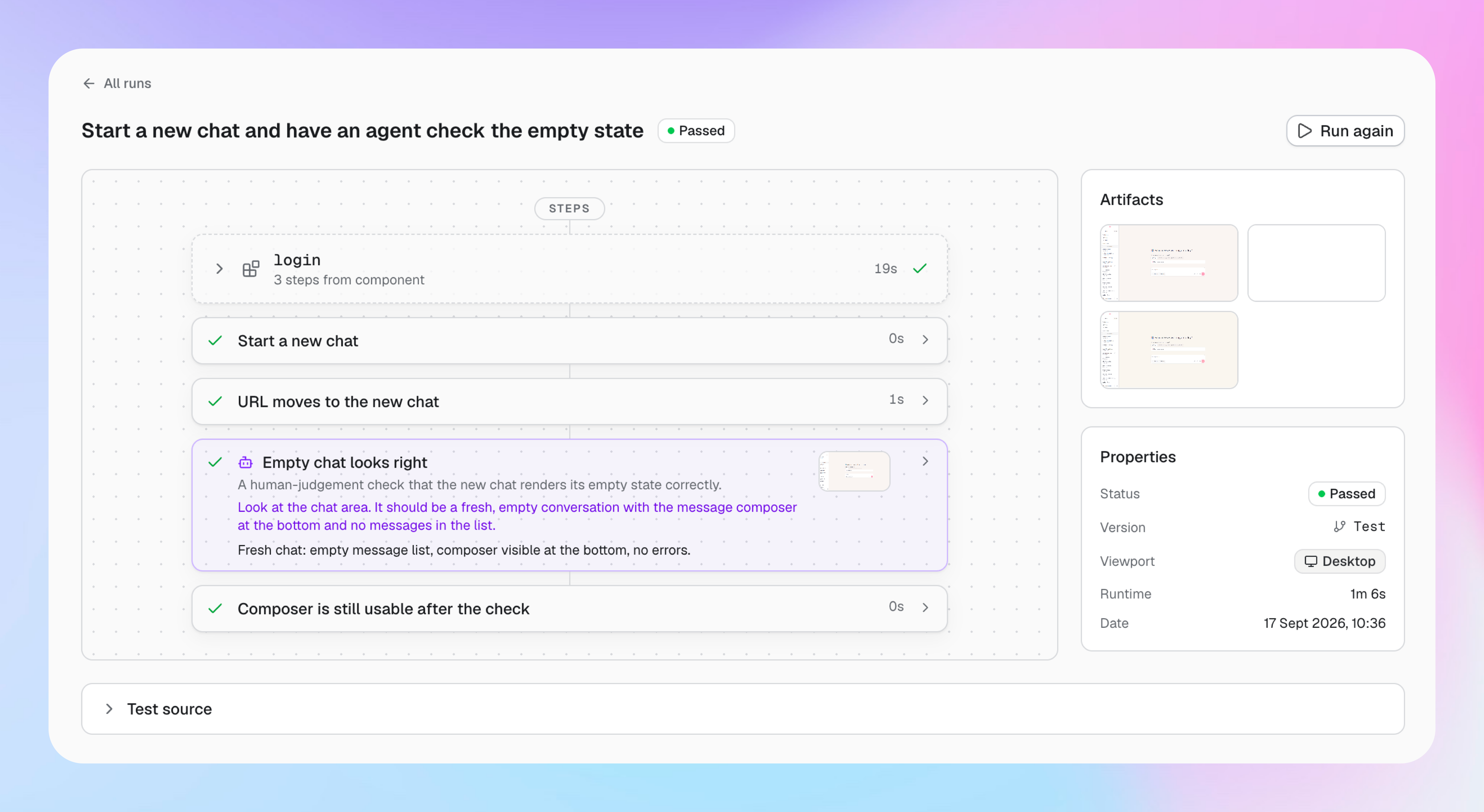
A single run pauses at an agent step. The runner takes a screenshot, captures the page's accessibility tree, and prints a brief: the task, what pass and fail look like, the current URL, the screenshot path, and the resume commands.
Your agent reads the screenshot and the tree, decides, and runs one of:
buildprint test step <runId> pass --comment "what you saw"
buildprint test step <runId> fail --comment "what you saw"
buildprint test step <runId> warning --comment "what you saw"
The run continues in the same command. Add --screenshot <path> to attach evidence. Add --script <bash> to store a command that replaces the agent step next time (this is encouraged to avoid using agents where possible). See Building tests.
Review in Buildprint
Open your project and click Tests.
Tests lists every test by folder with its last state. Click a test to see its description, steps, source, and run history.
Runs lists every run and batch. Click a run to see each step, its output, screenshots, and the video.
Dashboard shows pass rate, runs per day, and regressions. A regression is a test that passed in the last seven days and failed or warned on its latest run.
Every run shows the branch and environment it ran against.