
Skills
Skills give Agent reusable instructions for a specific type of work. Use them when you want Agent to follow the same process, standards, or checks across several conversations.
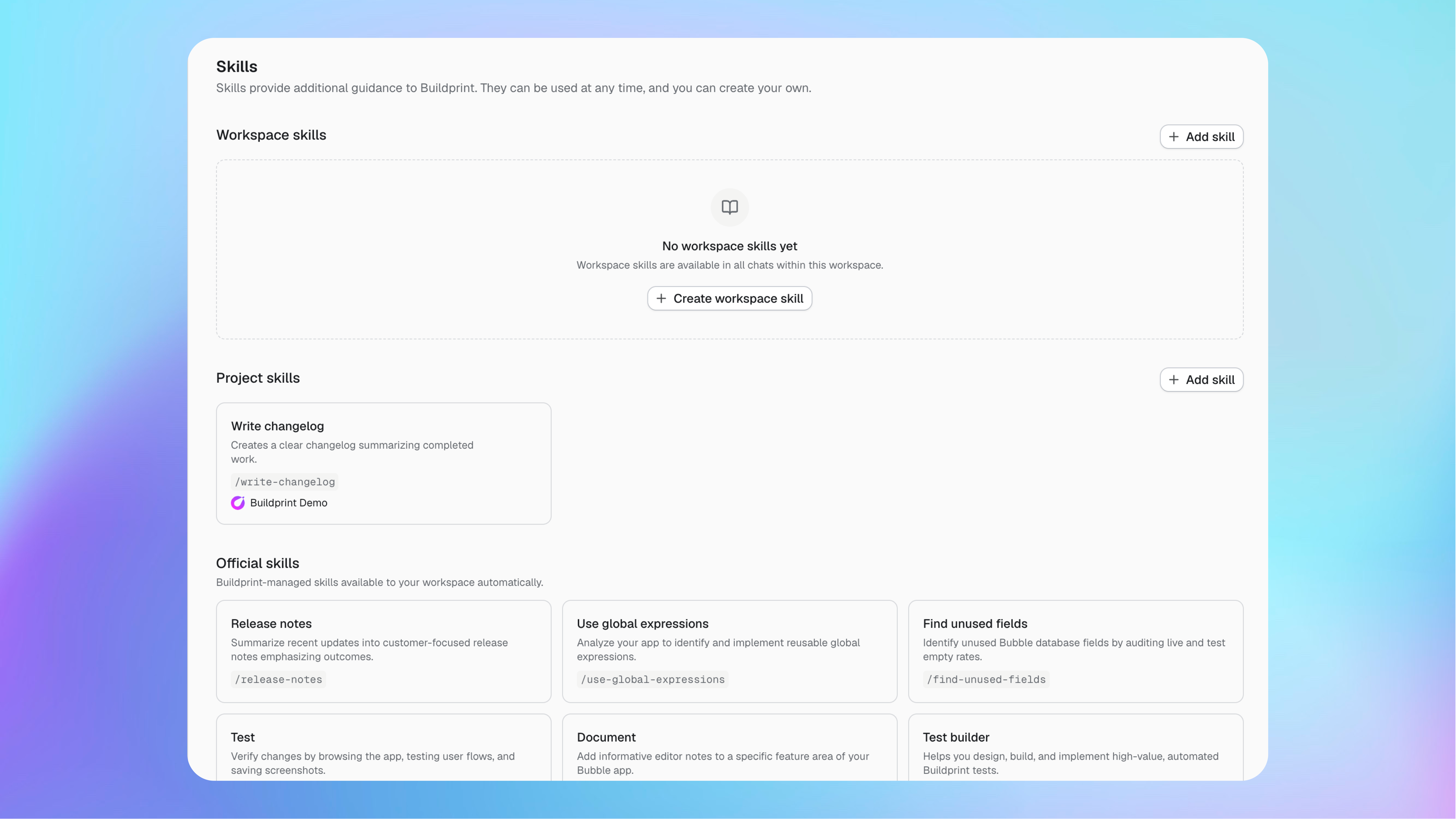
Types of Skills
The Skill scope controls where it is available.
Workspace Skills are available in every Agent conversation in the workspace.
Project Skills are available when their Bubble project is selected.
Official Skills are maintained by Buildprint and added to your workspace automatically.
Use a workspace Skill for instructions shared across projects, such as company build standards. Use a project Skill for instructions that depend on one app, such as its testing process or release-note format.
Use a Skill in Agent
Mention the Skill in your message when you want Agent to use it.
Open an Agent conversation for the correct project.
Type
/in the message box.Select the Skill you want to use.
Describe the task after the Skill command, then send the message.
For example:
/testTest the new signup workflow on the test branch. Check the valid and invalid invite-code paths.
You can also click + and select a Skill from the context menu.
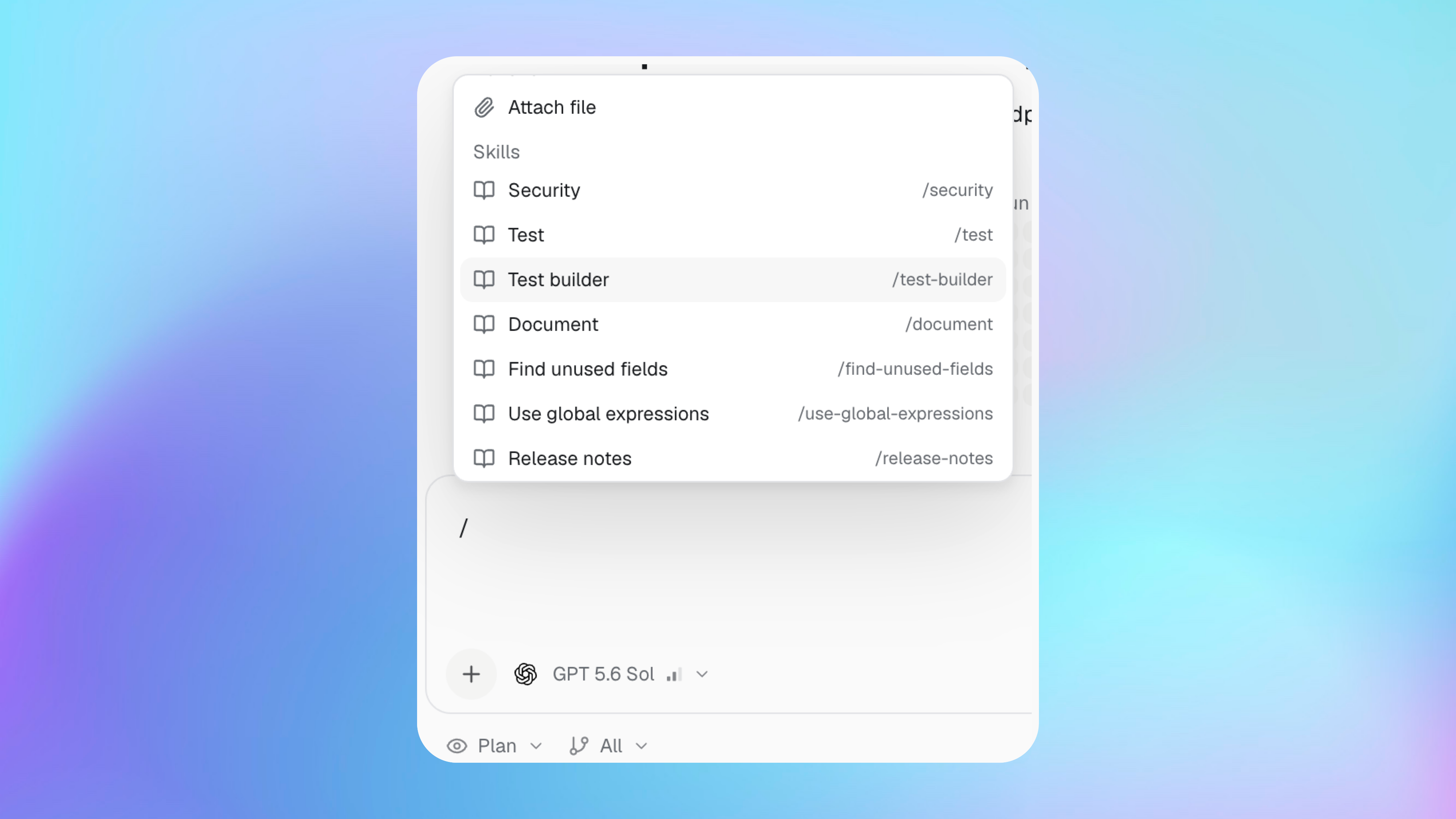
The available list depends on the selected workspace and project. A project Skill does not appear when another project is selected.
Create a custom Skill
Create a custom Skill when the same instructions would be useful again.
Open Skills.
Under Workspace skills or Project skills, click Add skill.
Give the Skill a clear name and command.
Describe when Agent should use it.
Add the instructions Agent must follow.
Save the Skill.
Write useful Skill instructions
A Skill should define a repeatable method, not one temporary task.
Include:
When the Skill should be used.
The steps Agent should follow.
Required checks or success criteria.
Important limits and actions Agent must not take.
The format of the final result.
Keep project facts in a project Skill. Keep general working rules in a workspace Skill.
Skills and permissions
A Skill gives Agent instructions, not extra access.
Agent must still follow your Buildprint role, Bubble collaborator permissions, selected branch access, Plan or Build mode, and the permissions of connected tools.
Do not store passwords, API keys, or other secrets inside Skill instructions. Use Agent’s secure secret request when a task needs a secret.
Update a Skill
Update the Skill when your process changes. New Agent work uses the latest saved instructions.
If a Skill gives poor results, make its steps and success criteria more specific. Remove instructions that are unrelated to the Skill’s main job.