
Check that your project is connected to a Bubble app, the From and To versions are different, and at least one focus is selected.
Using Radar
Radar compares two Bubble versions and uses AI to find bugs, security risks, maintainability problems and product changes.
Create a scan
Use a manual scan when you want to review changes before or after merging a Bubble branch.
Open Radar and select Create.
Choose the source version under From.
Choose the version you want to compare it with under To.
Choose the AI model.
Select at least one scan focus.
Select Create scan.
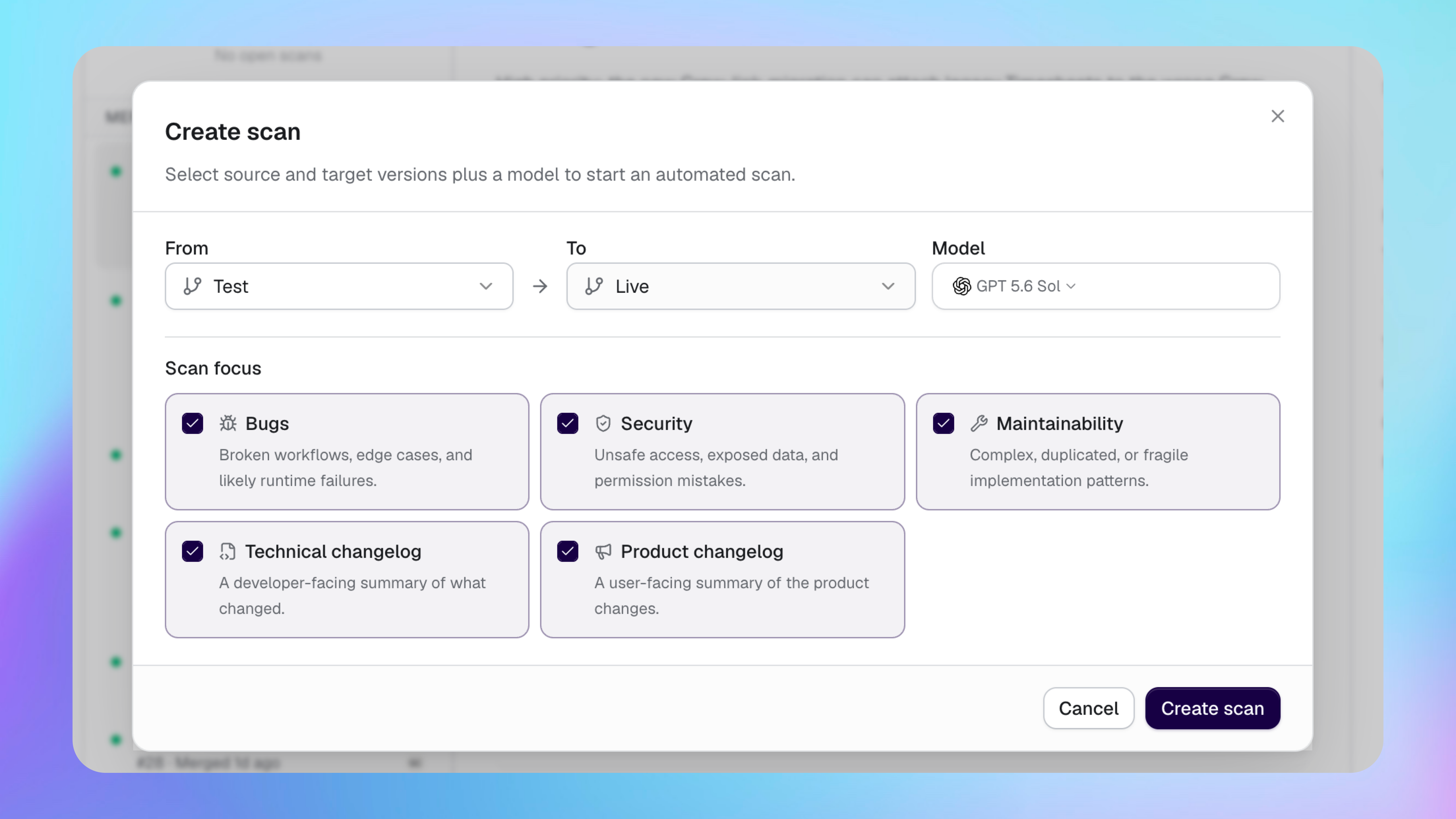
The From and To versions must be different. The selected model must be available through Buildprint or one of your connected AI providers.
Choose what Radar checks
Scan focuses control the types of findings Radar creates.
Bugs finds broken workflows, edge cases and likely runtime failures.
Security finds unsafe access, exposed data and permission mistakes.
Maintainability finds complex, duplicated or fragile parts of the app.
Technical changelog explains technical changes for people who build the app.
Product changelog explains user-facing product changes.
Select only the focuses you need. A smaller focus can make the result faster to review and reduce token usage.
Read a scan
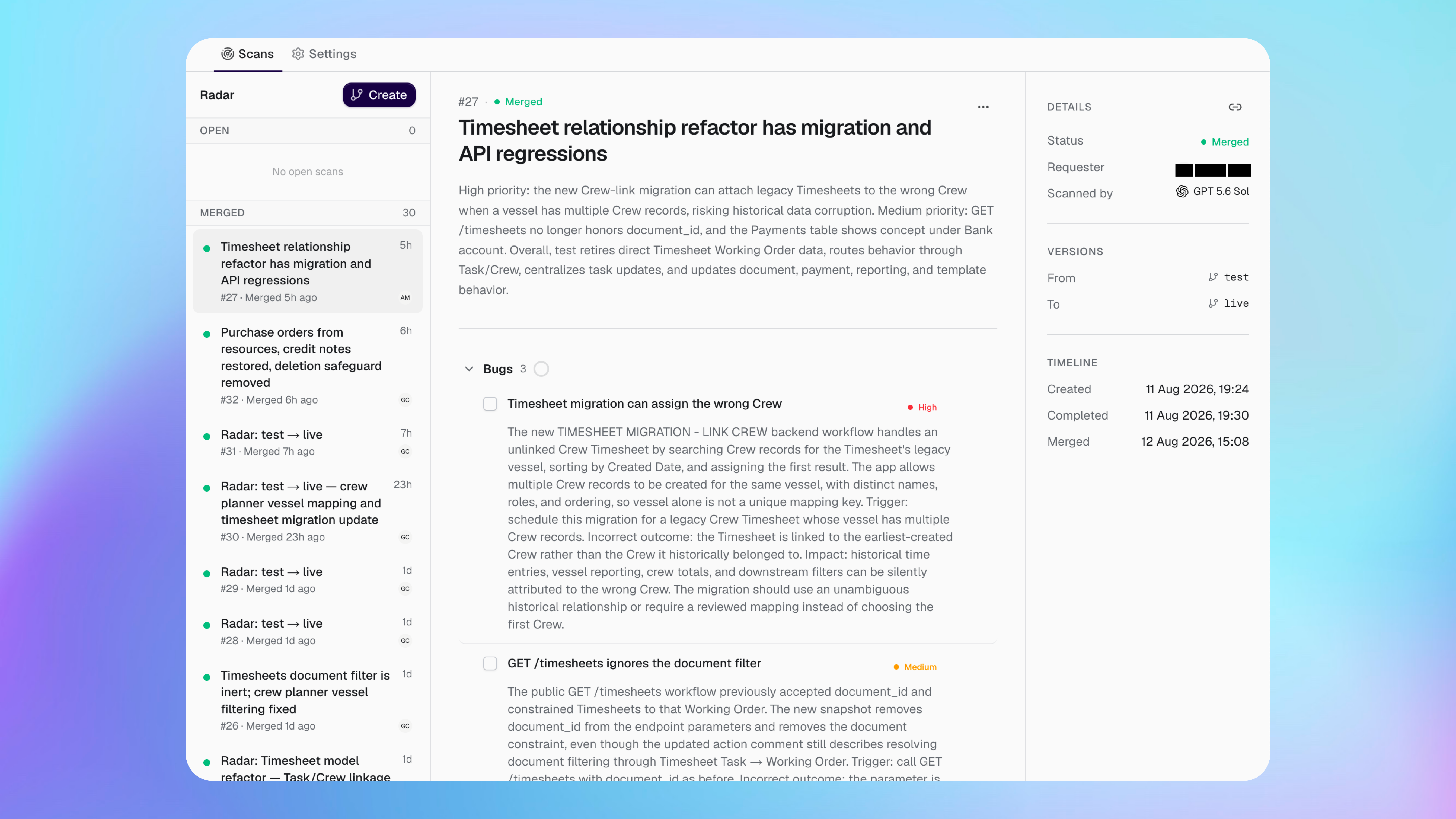
A completed scan starts with a summary, followed by findings grouped by focus.
Issues have High, Medium or Low priority. Open a finding to read the affected app logic, the risk and the expected impact.
The details panel shows who requested the scan, the model, the compared versions and its timeline. Scans are grouped as Open, Merged or Closed.
Radar reviews changes in your Bubble app, but it does not replace testing. Check important findings against the app before merging or deploying.
Review findings
Use each finding as a review item for your team.
Edit its wording or priority when more context is available.
Resolve it after the problem has been handled.
Dismiss it when it does not apply.
Add comments and replies to record decisions.
Open the scan in Agent when you want help investigating or making changes.
You can reopen a resolved finding if more work is needed.
Finish or repeat a scan
Close a scan when the review is finished and you no longer need it in the Open list.
Rerun a scan to compare the versions again. Retry is available when a scan or part of its analysis fails.
Receive results in Slack
Radar can send a completed scan summary to a configured Slack channel.
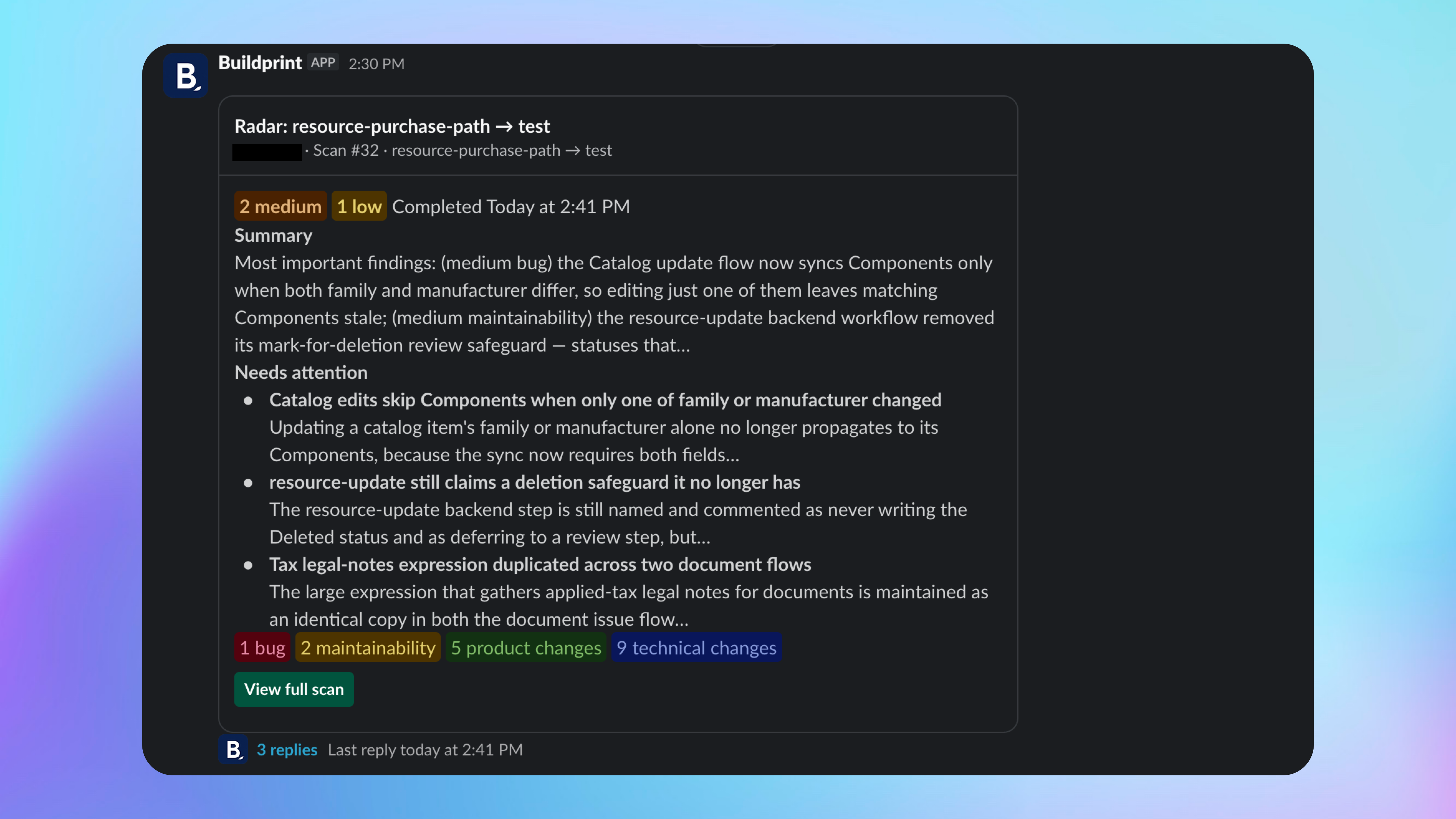
The message includes the compared versions, issue counts, a summary and a link to the full scan in Buildprint.
Fix scan problems
I cannot create a scan
The scan failed
Open the scan and retry it. If it fails again, choose another available model and rerun the scan.
Was this helpful?
Was this helpful?