
Connect the provider used by that model. For Buildprint models, check that the workspace has available AI credits.
AI providers
Connect an AI provider to use its models in Agent, Radar and Tests, or use Buildprint models without adding your own provider account.
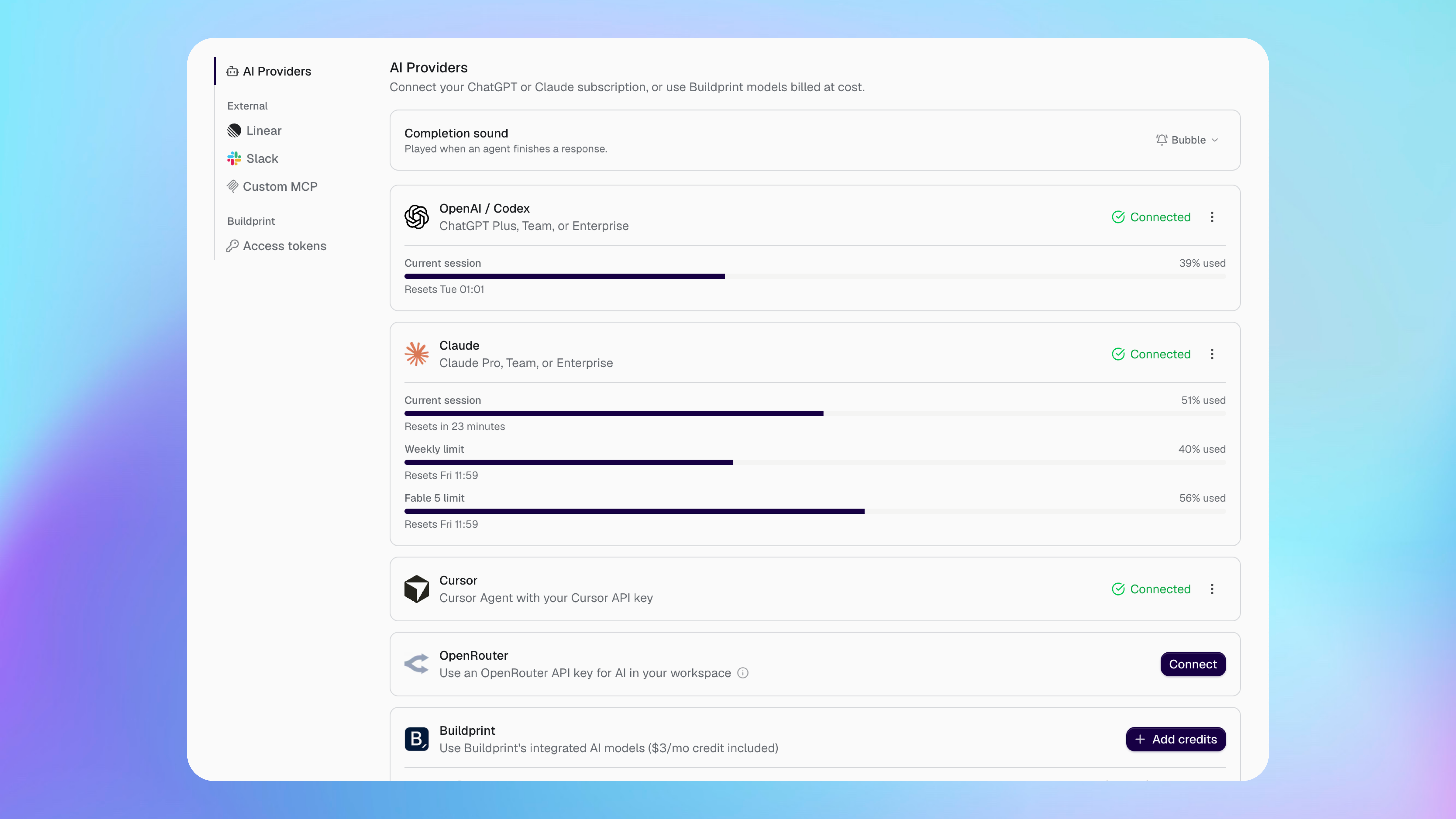
Choose a provider
The available providers use different accounts and billing.
OpenAI / Codex uses an eligible ChatGPT subscription.
Claude uses an eligible Claude subscription.
Cursor uses your Cursor API key.
OpenRouter uses your OpenRouter API key.
Buildprint provides integrated models billed through Buildprint AI credits at cost.
Your provider usage and limits are separate from Agent runtime. Agent runtime covers the time the Agent is running, while the provider covers the model it uses.
Connect a provider
Connect the provider you want before selecting one of its models.
Open your workspace integration settings.
Select AI Providers.
Select Connect beside the provider.
Complete the provider's sign-in or enter the requested API key.
A connected subscription can show its current usage and reset time. Buildprint does not control limits set by an external provider.
Use Buildprint models
Buildprint models do not need a separate provider account.
Your plan includes an amount of AI credit. Select Add credits when you need more. Model usage is charged against those credits.
Choose who the Agent runs as
Some integrations let an admin choose a workspace member under Run as.
The integration then uses that member's Buildprint permissions and connected providers. Choose someone with access to every project the integration needs, but no more access than required.
Disconnect or reconnect a provider
Disconnect a provider when its account should no longer be available in Buildprint.
Conversations and saved settings remain, but models from that provider cannot start new work until it is reconnected. Reconnect when a login expires or an API key changes.
Fix provider problems
A model is not available
My provider limit has been reached
Wait for the provider limit to reset, choose another connected provider, or use a Buildprint model.
The provider connection has expired
Open AI Providers, disconnect the provider, then connect it again with the current account or API key.
Was this helpful?
Was this helpful?