
Check that app ownership is verified, your role can manage the project, and your plan includes data backups. A new backup also cannot start while another backup for the same database is active.
Data backups
Data backups let you create and download copies of your Bubble app's Live or Test database. This feature is currently in beta.
Data backups is a beta feature. Availability, reliability and behaviour may change while we continue testing it.
You need permission to manage the project, verified app ownership and a plan that includes data backups.
Run a backup
Run a manual backup when you need a current copy of your Live or Test data.
Open Data and select Backups.
Select Run backup.
Choose Live or Test.
Start the backup.
Only one backup can run for each database at a time. You can continue using Buildprint while it runs.
Schedule backups
Automatic backups can run daily, weekly or monthly for Live, Test or both databases.
Select Manage schedule.
Choose Daily, Weekly, Monthly or Off.
Choose the databases to back up.
Save the schedule.
Check backup status
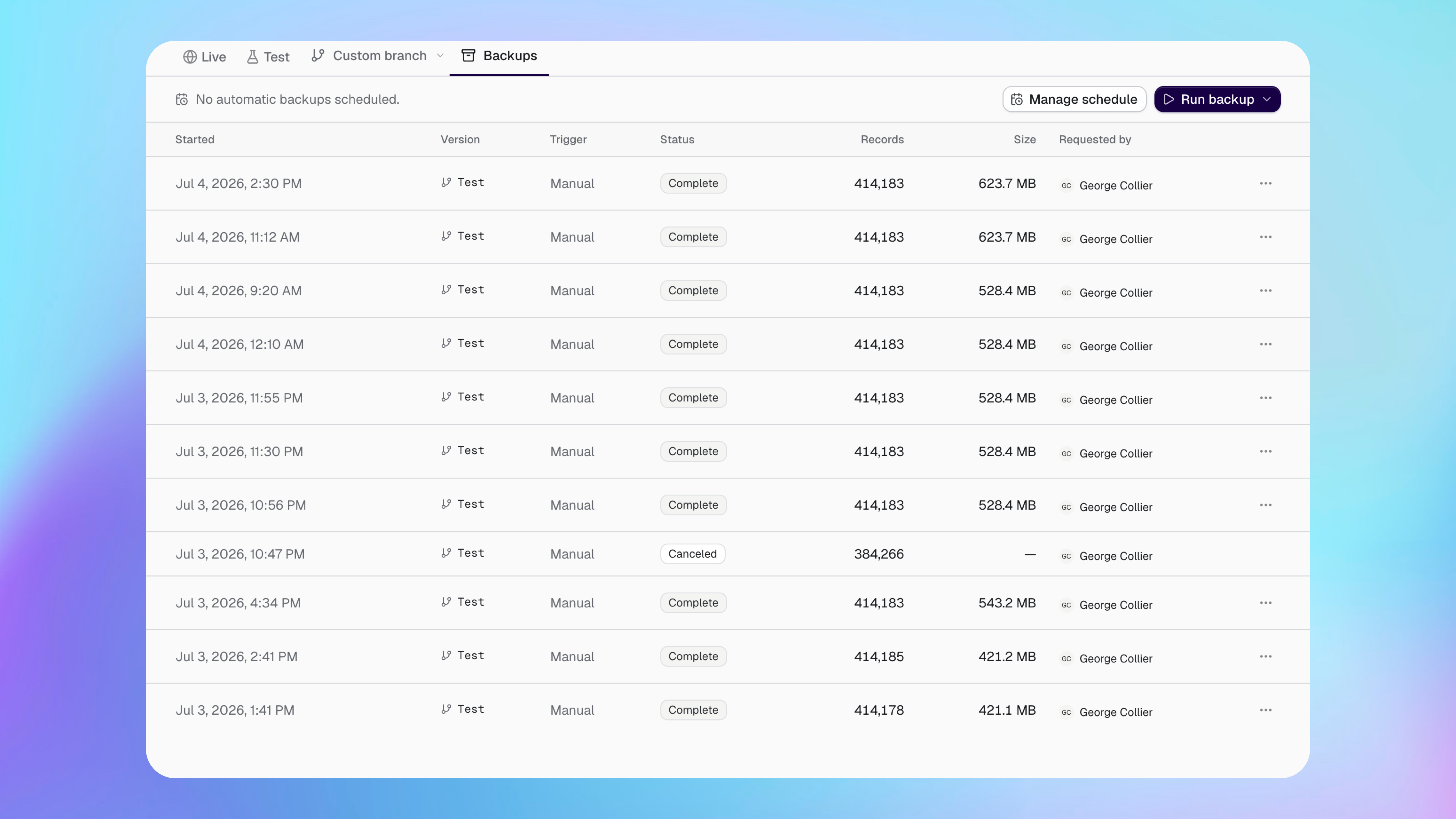
The backup list shows when each backup started, its database, trigger, status, record count, file size and who requested it.
Queued: waiting to start.
Running: copying records.
Paused: temporarily stopped.
Finalizing: preparing the completed file.
Complete: ready to download.
Failed or Cancelled: no completed backup file is available.
Download a backup
You can download a backup after its status changes to Complete.
Open the menu beside the completed backup.
Select Download.
Delete stored backup data
Deleting stored backup data permanently removes its downloadable file. The entry stays in the backup list as a record of the run.
Open the menu beside the backup.
Select the option to delete its stored data.
Confirm the deletion.
Deleted backup data cannot be downloaded again.
If a backup does not complete
I cannot start a backup
My backup is paused
A paused backup has stopped temporarily. Check it again later before starting another backup for the same database.
My backup failed or was cancelled
Start a new backup. Failed and cancelled runs do not provide a completed file.
Was this helpful?
Was this helpful?